
View and manage your Roster
The roster controls what time slots a customer can book with you online. It is set by your schedule and locations.
The roster allows contractors to manage availability for holiday leave, sick days, and family emergencies. It should also be used to block new online bookings on days when you are at capacity due to a large job or unexpected issues such as car trouble.
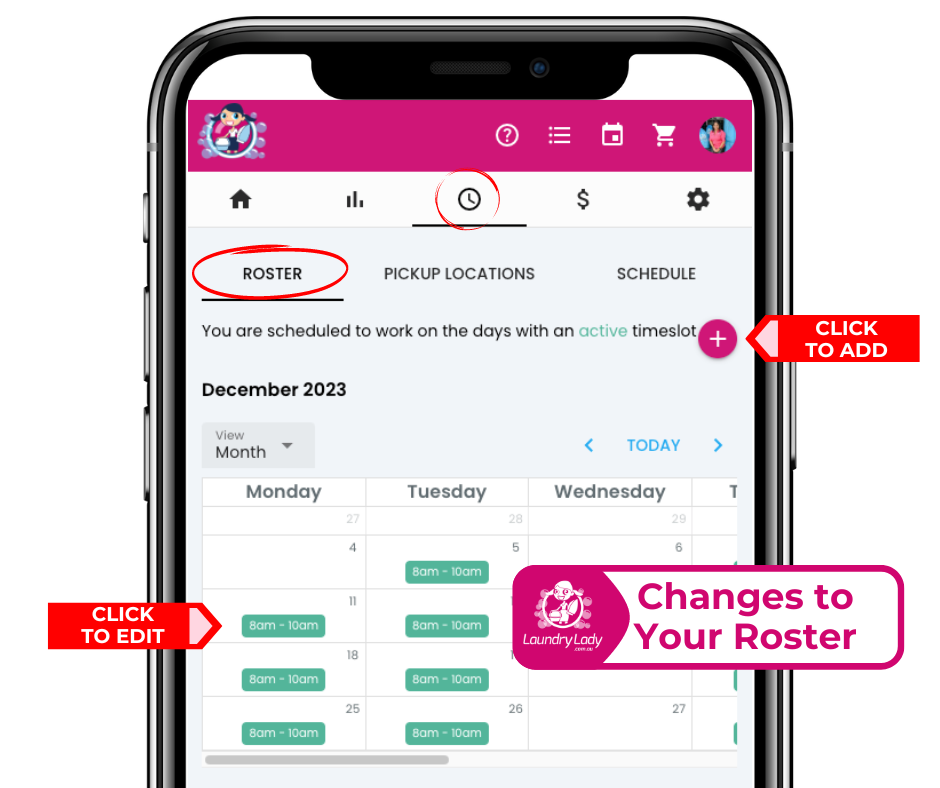
The support team can assist by applying permanent changes to your roster by updating your schedule, or disabling online bookings entirely. Roster changes for leave and holidays must be managed and updated directly by contractors through the roster.
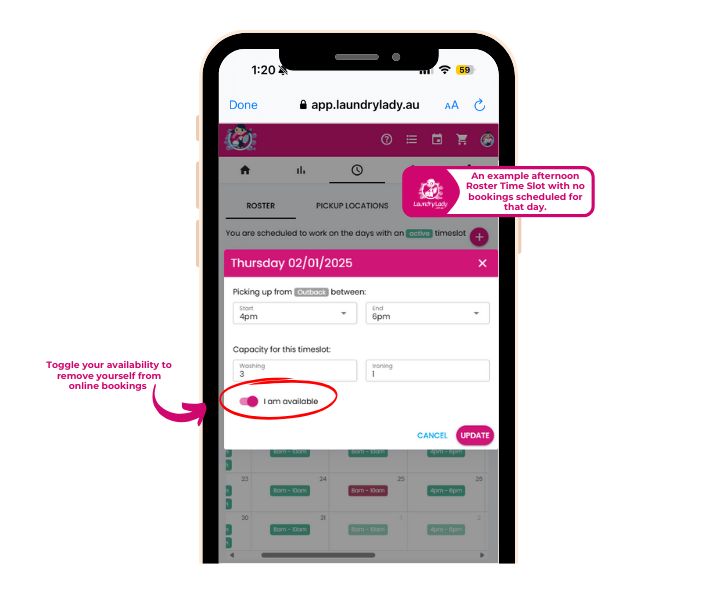
When disabling a roster time slot, you’ll have several options to manage bookings already scheduled for that day. Review our guide to Resolve bookings during Time off.
Always inform Head Office if you require roster changes for an extended period. This helps us adjust marketing budgets in your area and reallocate resources effectively for when you are available.
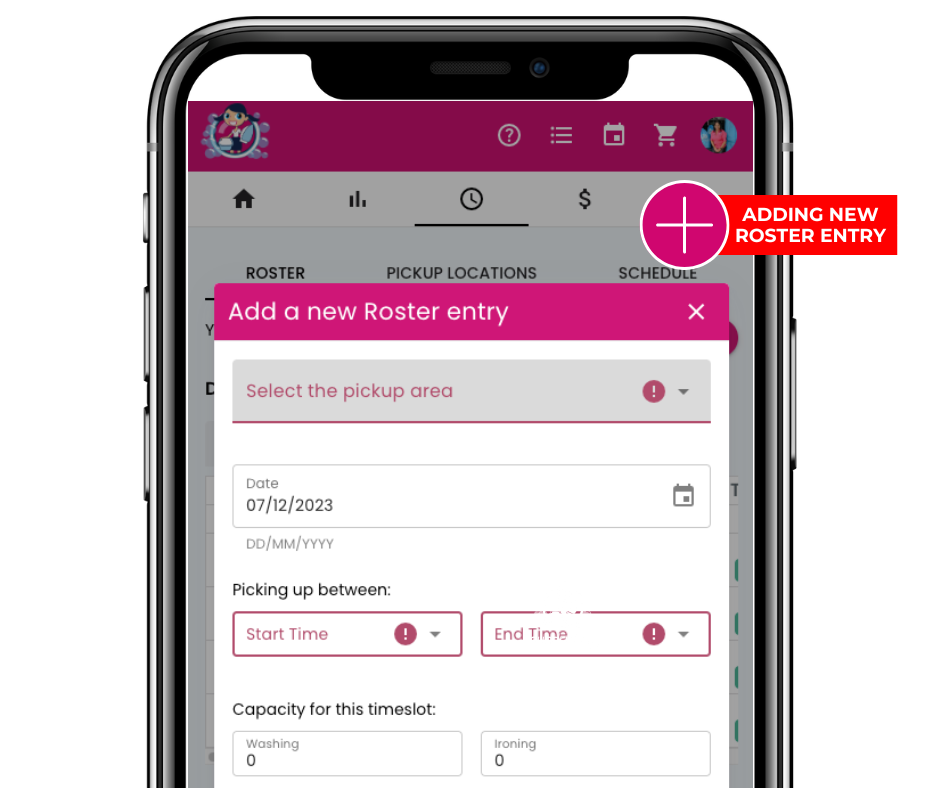
Adding a new roster entry:
If you would like to be available on a day not usually included in your roster, you can add a new roster entry. This feature is intended for temporary adjustments and ad hoc changes only.
- Choosing a selection results in a full page refresh.
- Opens in a new window.