
Install the Partner Portal
How To Install the Portal App (iOS)
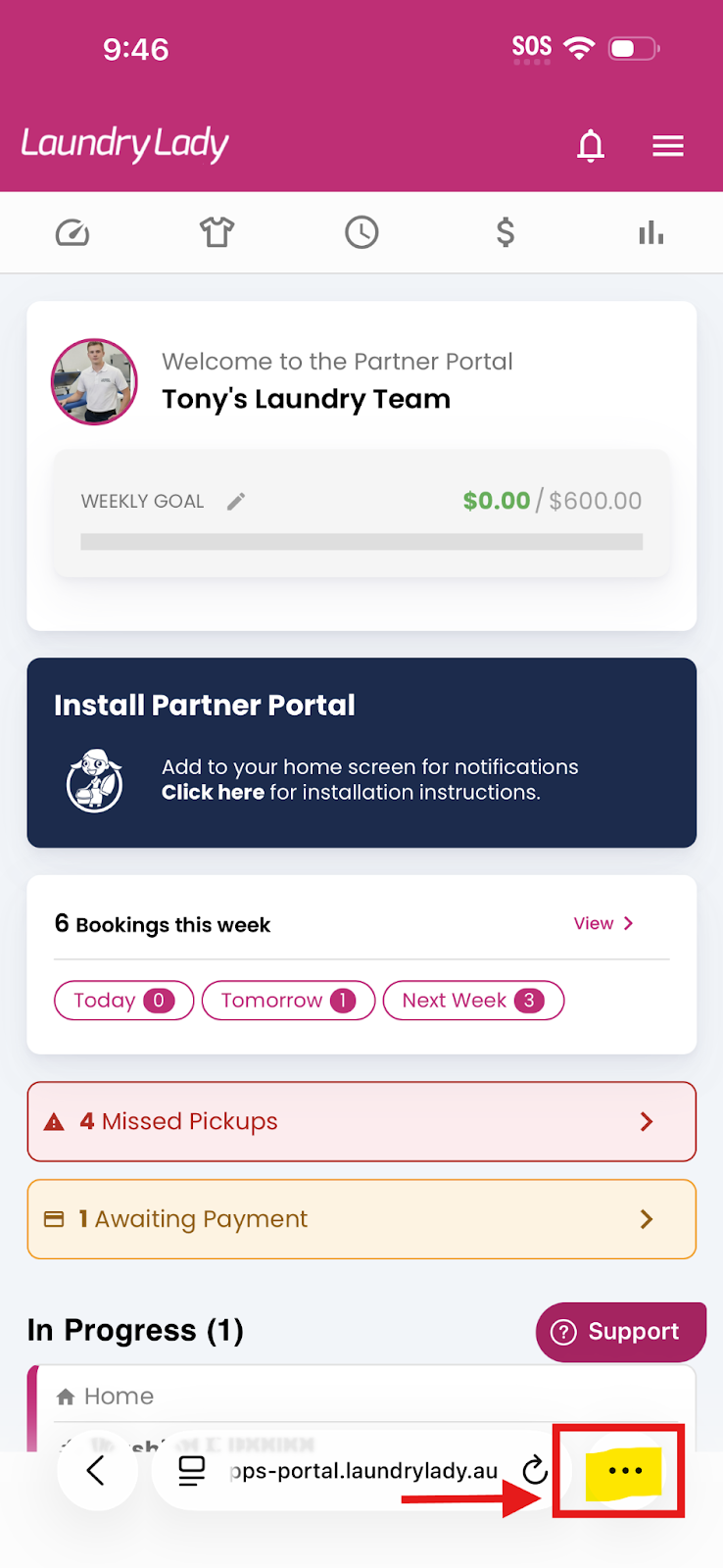
- Tap The … Button: At the bottom of the page, tap the more button with three dots.
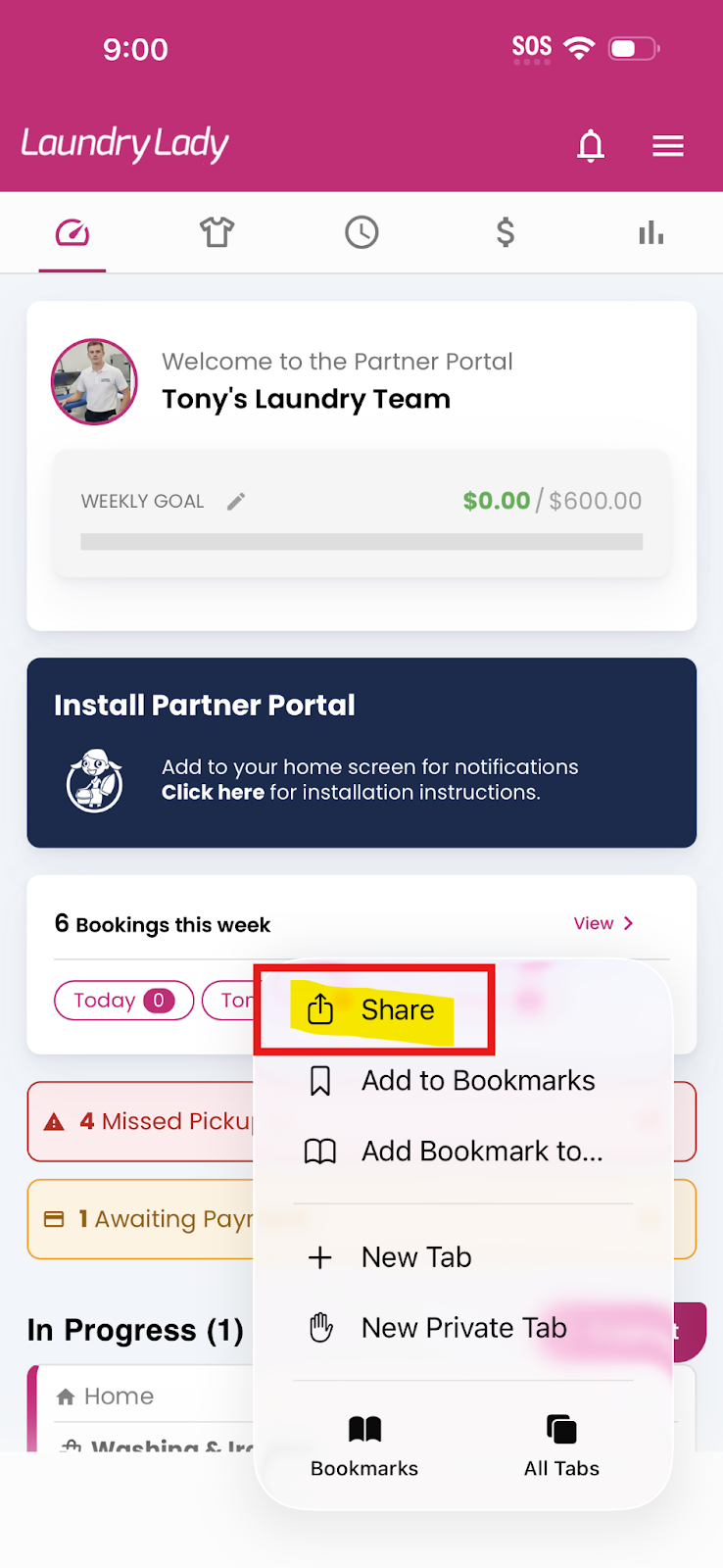
- Tap Share: At the bottom of Safari or the Chrome menu, tap the share icon.
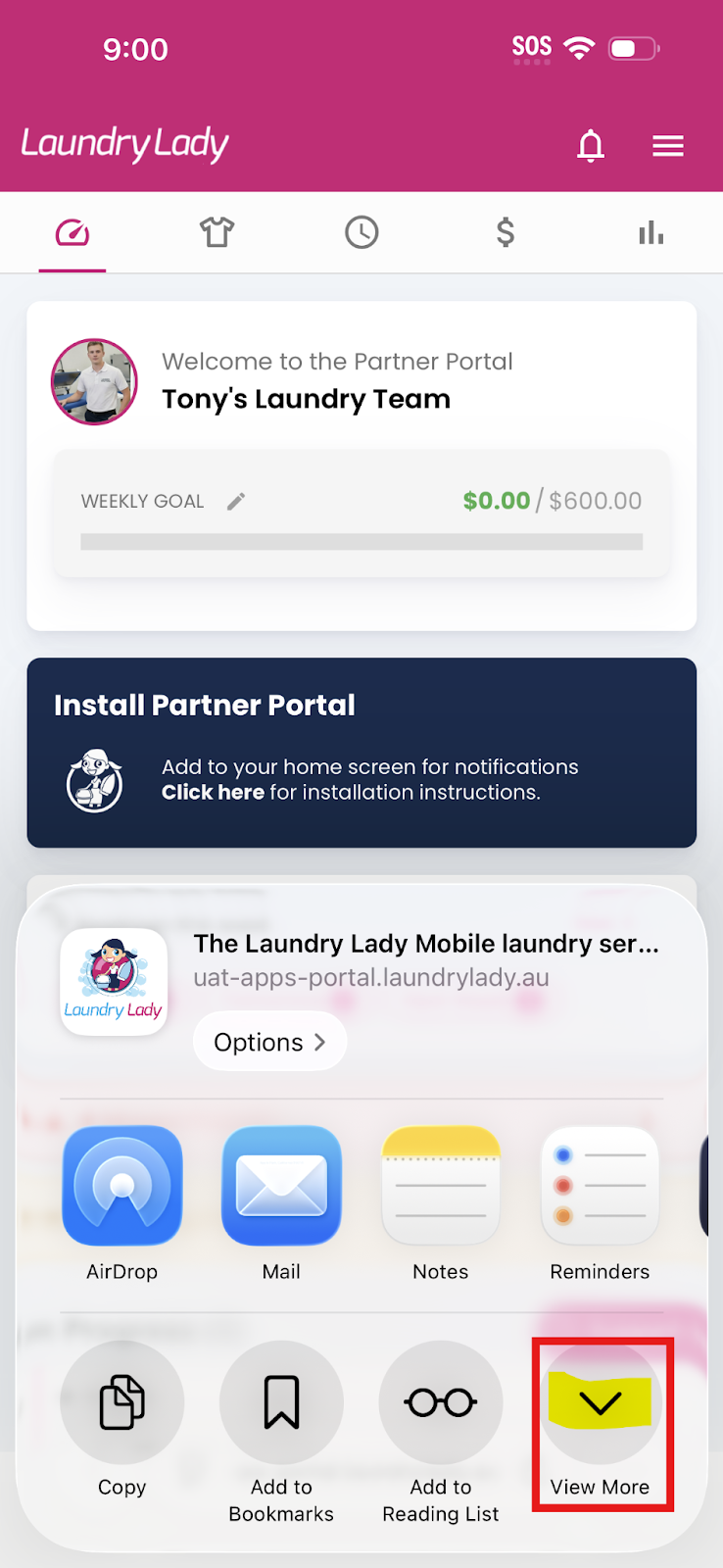
- Tap View More: Scroll across the actions and tap View More.
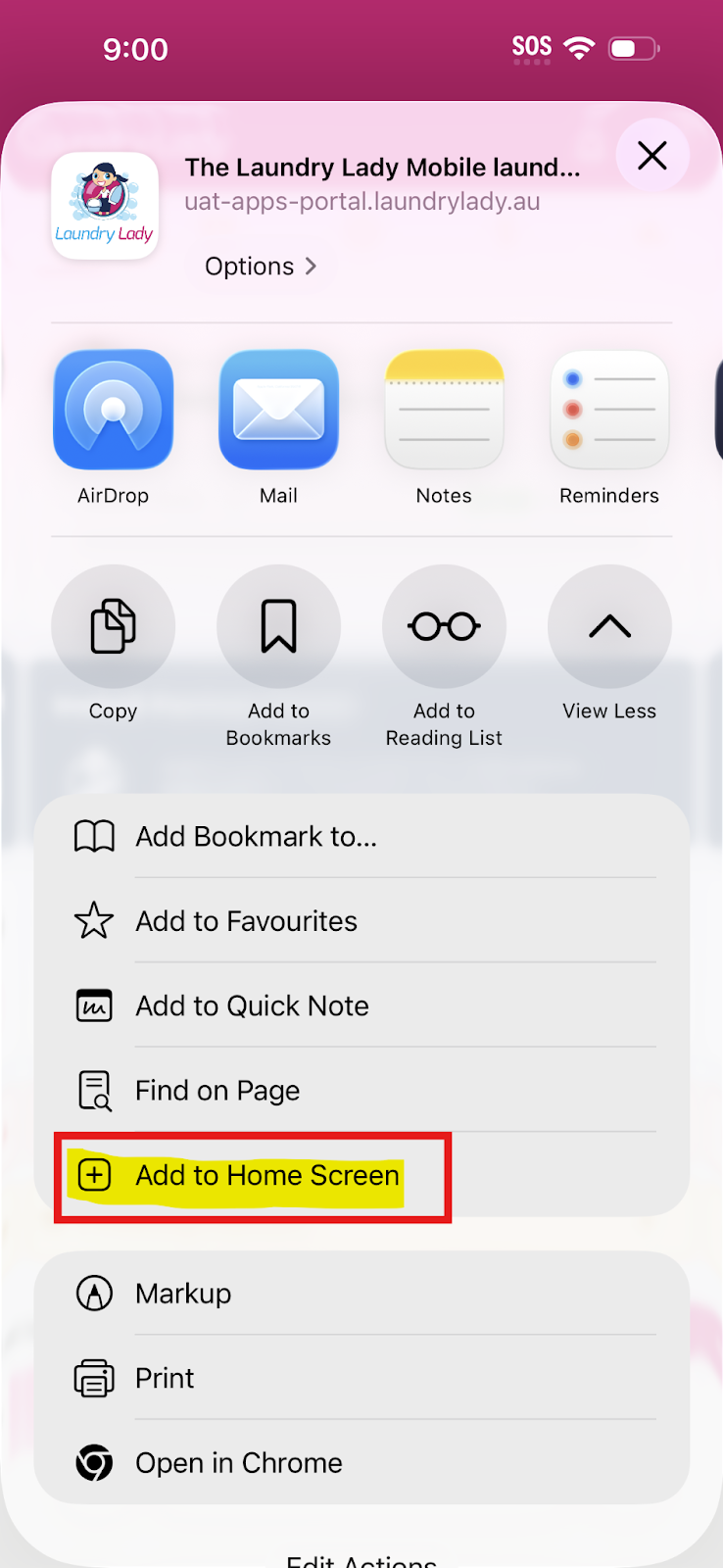
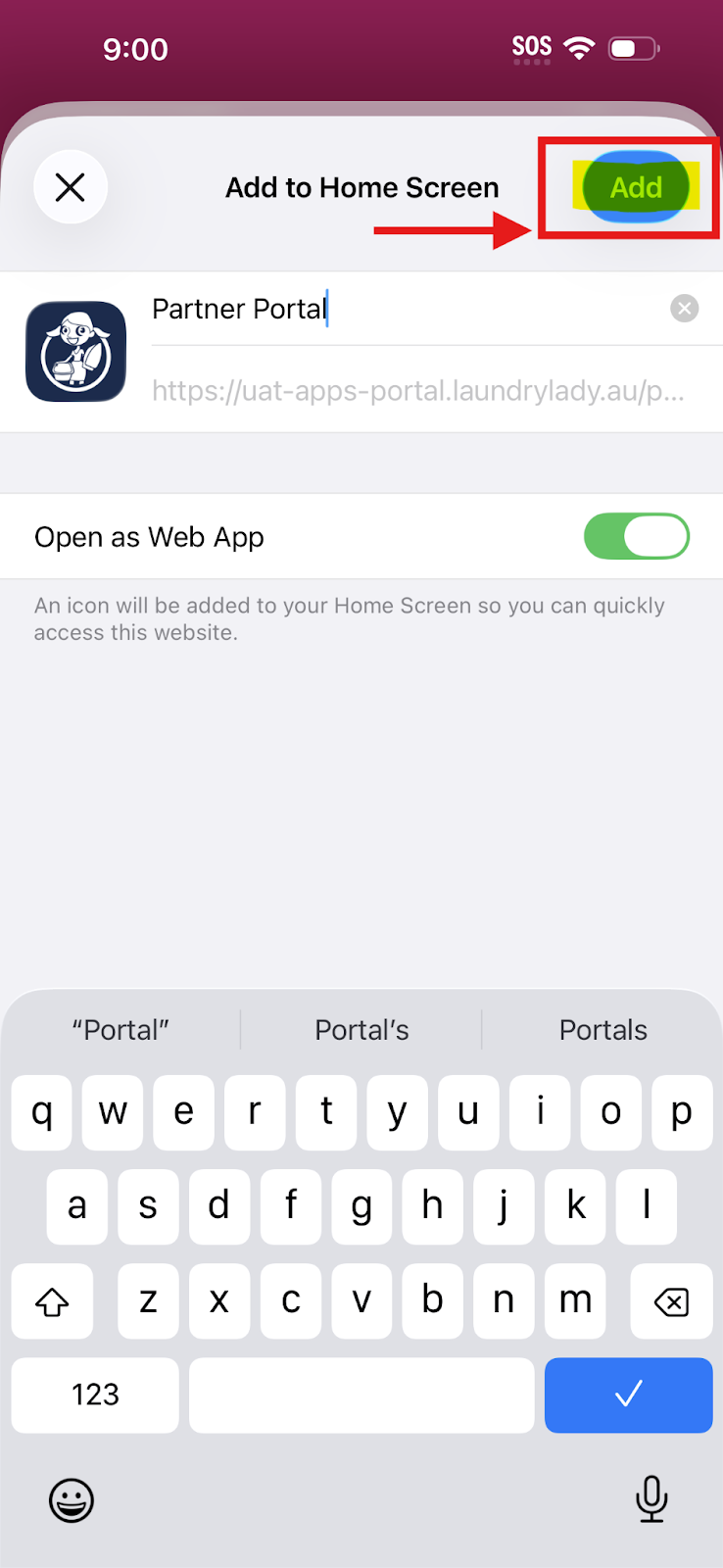
- Add to Home Screen: Select the "Add to Home Screen" option from the list.
- Confirm: Tap "Add" at the top right. You're all done! Open it from your home screen.
How To Install the Portal App (Android)
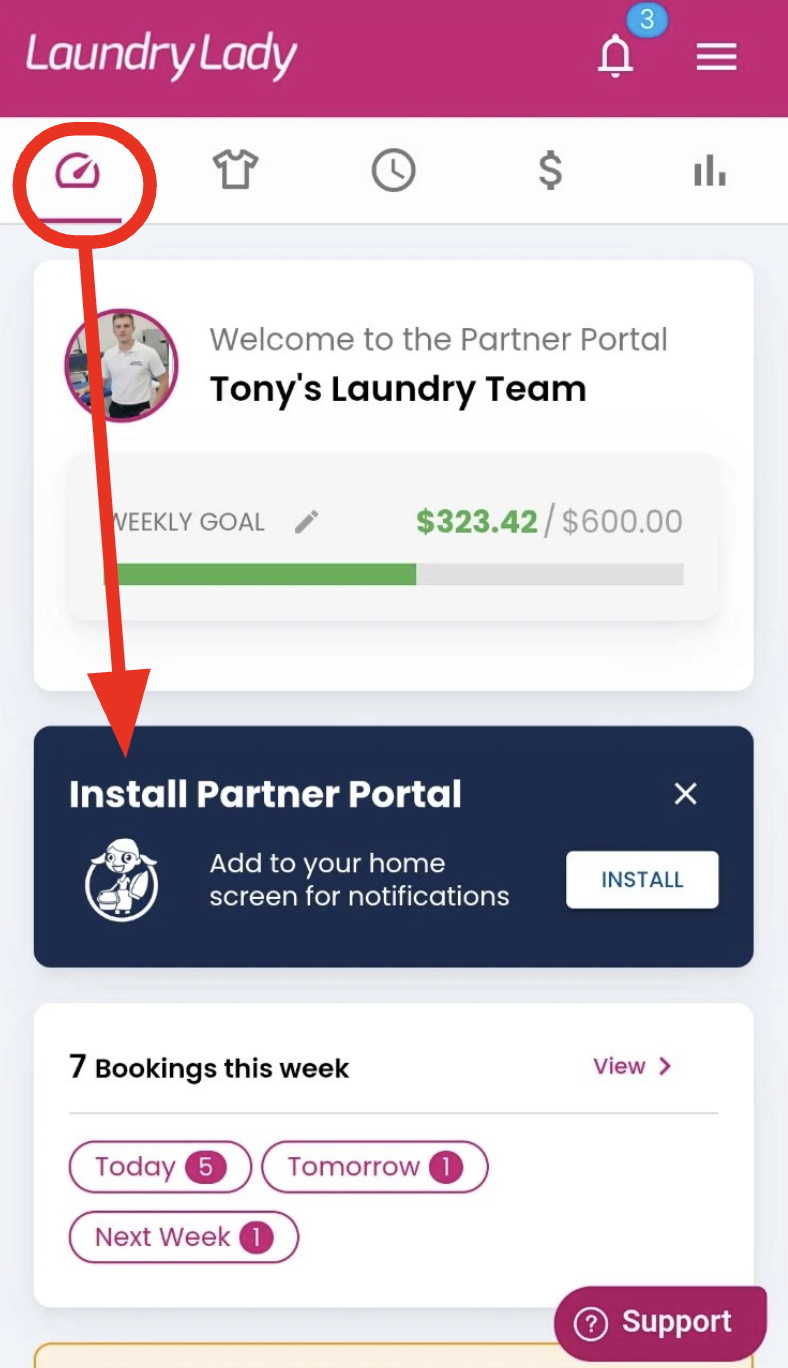
- You'll be prompted to install the partner app on the main dashboard of the portal
Enable Notifications
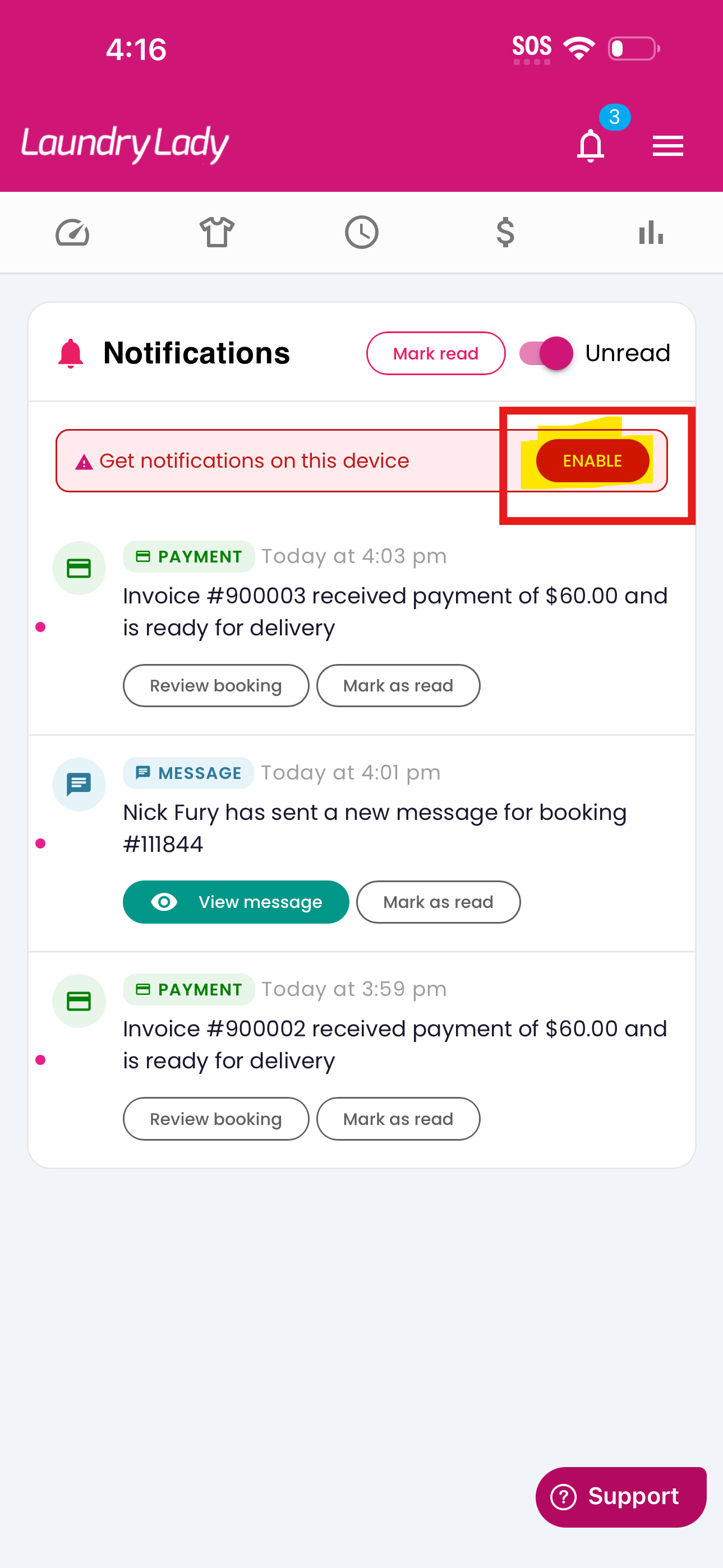
Under the notifications bell you can now enable notifcations directly to your device.
- Choosing a selection results in a full page refresh.
- Opens in a new window.